| |
|
|
What is a Computer-Based Cash Register?
A computer-based or computerized cash register is a Point of Sale Syste, POS, designed around a standard desktop computer. Users can add various peripherals to the system to meet their own particular needs. Below, we will explain each peripheral device - how it is used, how it is connected and its key features and options.
Receipt Printer
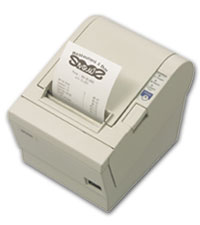 Every point-of-sale system should have a receipt printer. Each receipt printer comes with one or two cash drawer ports for direct attachment. This allows two devices - printer and cash drawer - to share a single port on the computer. This is beneficial because there are generally more peripheral devices than available ports on a typical computer. Several options are available for most receipt printers, including journal take-ups, cutter mechanisms, slip validation and MICR units. Every point-of-sale system should have a receipt printer. Each receipt printer comes with one or two cash drawer ports for direct attachment. This allows two devices - printer and cash drawer - to share a single port on the computer. This is beneficial because there are generally more peripheral devices than available ports on a typical computer. Several options are available for most receipt printers, including journal take-ups, cutter mechanisms, slip validation and MICR units.
Cash Drawer
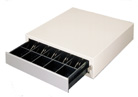 Cash Drawer is another necessary component in any Point of Sale System. Most cash drawers are printer-driven. Each receipt printer manufacturer has a unique cash drawer interface, making each cash drawer printer-specific. Cash drawers may also be attached independently via serial or parallel port. Cash Drawer is another necessary component in any Point of Sale System. Most cash drawers are printer-driven. Each receipt printer manufacturer has a unique cash drawer interface, making each cash drawer printer-specific. Cash drawers may also be attached independently via serial or parallel port.
Magnetic Stripe Reader
 Magnetic Stripe Readers is convenient for retailers who want to accept credit or debit cards. The device is usually attached directly to the POS Computer, and are most often configured to read tracks one and two or track two only. To accept credit or debit card, credit card authorization software and a modem are needed to fill out the solution. Magnetic Stripe Readers is convenient for retailers who want to accept credit or debit cards. The device is usually attached directly to the POS Computer, and are most often configured to read tracks one and two or track two only. To accept credit or debit card, credit card authorization software and a modem are needed to fill out the solution.
Check Reader
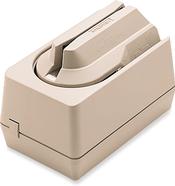 Using the technology called Magnetic Ink Character Recognition ( MICR ), check readers are capable of reading special characters printed on the bottom of a personal check. These characters are printed using magnetic ink to prevent check fraud. The check reader uses the same connectivity as a magnetic stripe reader, and also requires software and a modem. Using the technology called Magnetic Ink Character Recognition ( MICR ), check readers are capable of reading special characters printed on the bottom of a personal check. These characters are printed using magnetic ink to prevent check fraud. The check reader uses the same connectivity as a magnetic stripe reader, and also requires software and a modem.
POS Keyboard
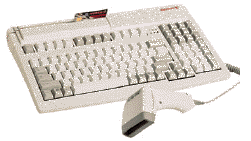 POS Keyboards have various configurations for the point of sale environment. Some are standard 101-key keyboards, with integrated magnetic stripe readers, barcode scanners, decoders and programmable keys. Other POS keyboards are specifically designed for the environment, with fewer keys and a smaller footprint. POS Keyboards have various configurations for the point of sale environment. Some are standard 101-key keyboards, with integrated magnetic stripe readers, barcode scanners, decoders and programmable keys. Other POS keyboards are specifically designed for the environment, with fewer keys and a smaller footprint.
Barcode Scanner
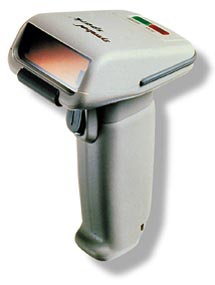 Bar code scanning provides for speed and accuracy at the checkout counter. Common scanners include CCDs, hand-held laser scanners, and omni-directional scanners - see Choosing a barcode scanner for more information on scanners. Barcode scanners are usually connected directly to the POS Computer. Bar code scanning provides for speed and accuracy at the checkout counter. Common scanners include CCDs, hand-held laser scanners, and omni-directional scanners - see Choosing a barcode scanner for more information on scanners. Barcode scanners are usually connected directly to the POS Computer.
Customer Display
 Also known as a pole display, the customer display displays items and price information, as well as product advertising. It contains either a fluorescent or LCD display and connects to the computer. Also known as a pole display, the customer display displays items and price information, as well as product advertising. It contains either a fluorescent or LCD display and connects to the computer.
Scale
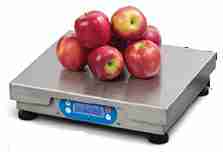 Weighing Scales are necessary for retailers who sell a product by weight. The scale must be certified by the state Board of Weights and Measures and must be NTEP-certified by the manufacturer. Scales are usually attached to a serial port on the POS computer. Weighing Scales are necessary for retailers who sell a product by weight. The scale must be certified by the state Board of Weights and Measures and must be NTEP-certified by the manufacturer. Scales are usually attached to a serial port on the POS computer.
Monitor
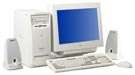 In some cases, a standard 17-inch monitor is too large for a point-of-sale application, and a smaller, fifteen, nine or ten-inch monitor often works better. In many hospitality environments such as restaurants, touch screen technology has become very popular, allowing for easy operator training and requiring no keyboard. In some cases, a standard 17-inch monitor is too large for a point-of-sale application, and a smaller, fifteen, nine or ten-inch monitor often works better. In many hospitality environments such as restaurants, touch screen technology has become very popular, allowing for easy operator training and requiring no keyboard.
Application / POS Software
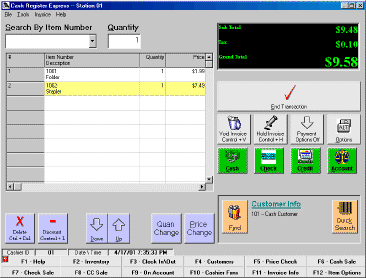 The POS Software is the most important part of any point of sale solution. The software is always chosen first and determines the hardware selection. Remember the following tips: Refer to your software manual before choosing any point of sale hardware. We can help you configure your POS system for a successful implementation. The POS Software is the most important part of any point of sale solution. The software is always chosen first and determines the hardware selection. Remember the following tips: Refer to your software manual before choosing any point of sale hardware. We can help you configure your POS system for a successful implementation.
|
|
|


